
Unread Mail Counter for Mail.ru — new email notifications
Счётчик писем для Почты Mail.ru — непрочитанные и уведомления
Счётчик писем для Почты Mail.ru — непрочитанные и уведомления
Unread count on the icon and your latest emails in one click, for every Mail.ru mailbox you're signed in to. No password, no ads.
Chrome Firefox Privacy facts.json
| Chrome | https://chromewebstore.google.com/detail/gpphimdhjohfaaljkjepjcgglmddidgd |
|---|---|
| Firefox | unread-mail-counter-for-mailru |
| Firefox id | unread-mail-mailru@dmitryq |
| Permissions |
|
| Optional |
|
| Optional sites |
|
| Runs on | none |
| Firefox data collection | {"required": ["personalCommunications"]} |
Screenshots from the store materials.
Chrome Web Store listing. The Firefox listing matches it, unless a separate block follows.
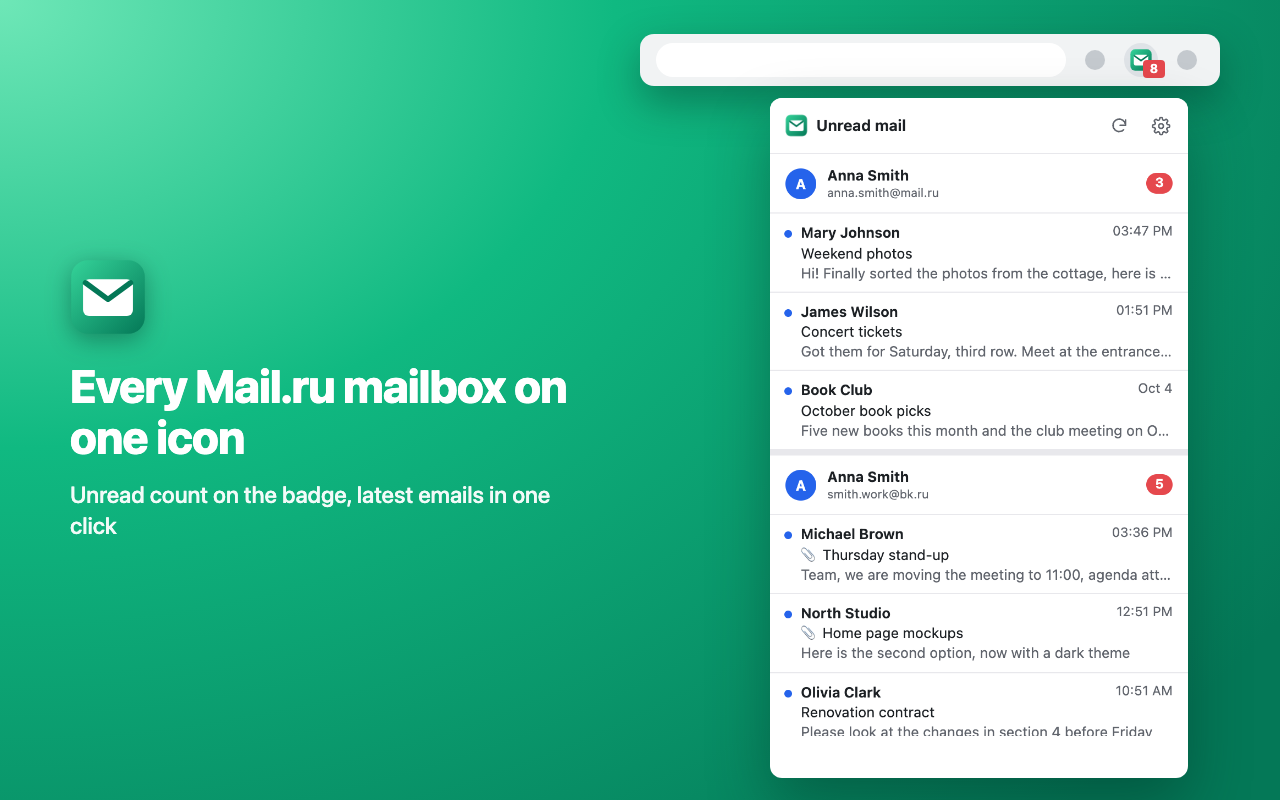
Unread email counter for Mail.ru right on the browser toolbar. Click the icon to see the newest emails from every mailbox you're signed in to: sender, subject and the first line. Click an email to open it in the right mailbox.

EVERY MAILBOX AT ONCE
• Several Mail.ru mailboxes, including @bk.ru, @inbox.ru and @list.ru, each with its own count and emails.
• The total unread count on the badge: exact up to 999, then 1.2k, 15k. Any mailbox can be left out of the count.
• Updates every minute and whenever you open Mail.ru.

START FROM ZERO
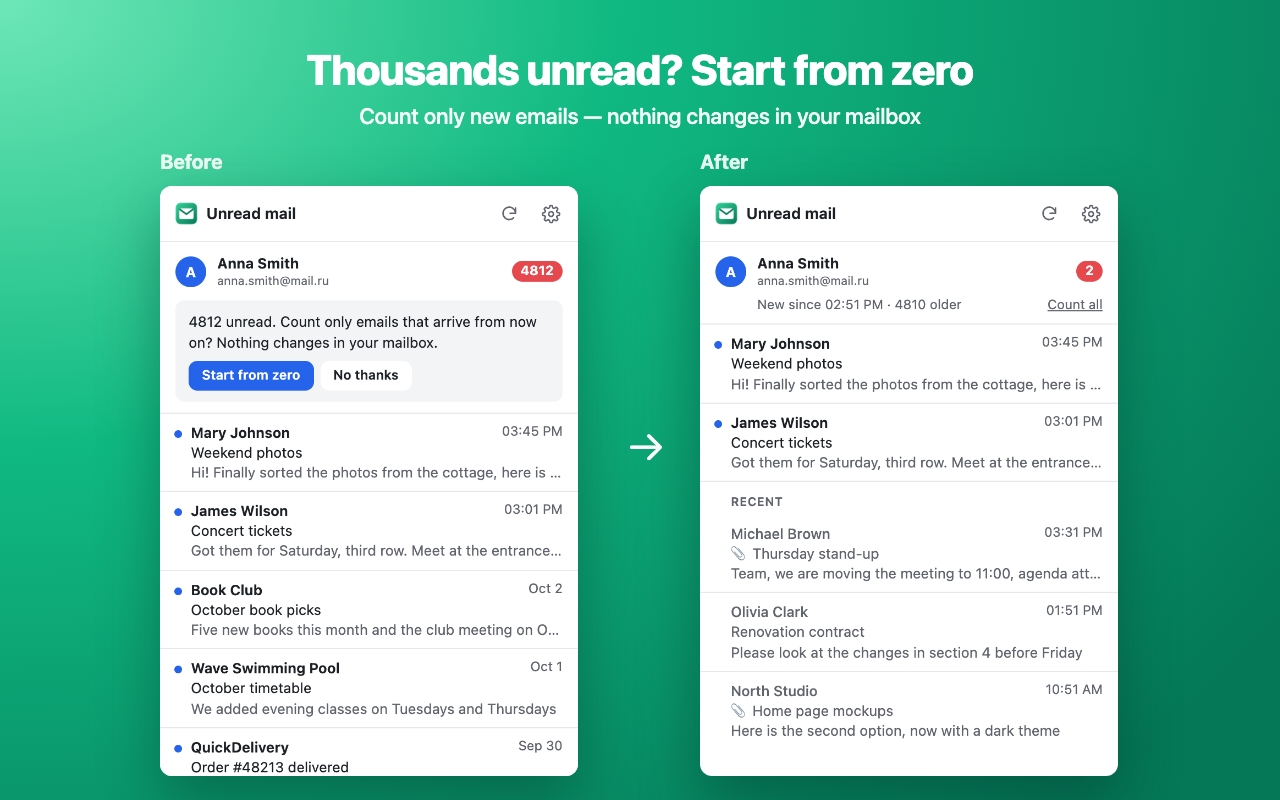
Thousands of unread newsletters and the counter means nothing? Click "Start from zero" and only emails that arrive after that are counted. Nothing changes in your mailbox: no email is marked as read or deleted. Back to the full count in one click.

NOTIFICATIONS
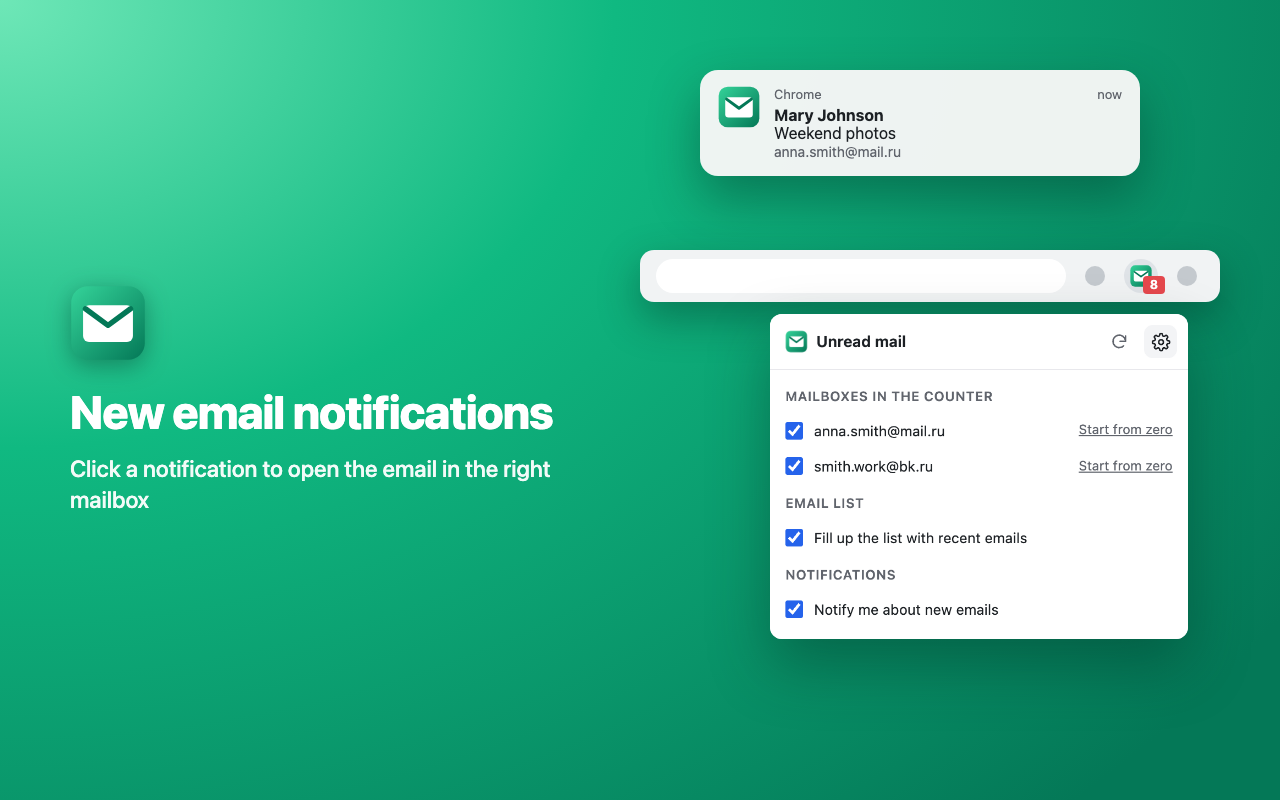
Optional notifications for new emails with the sender and subject. Click one to open the email.

NO PASSWORD, NO TRACKING
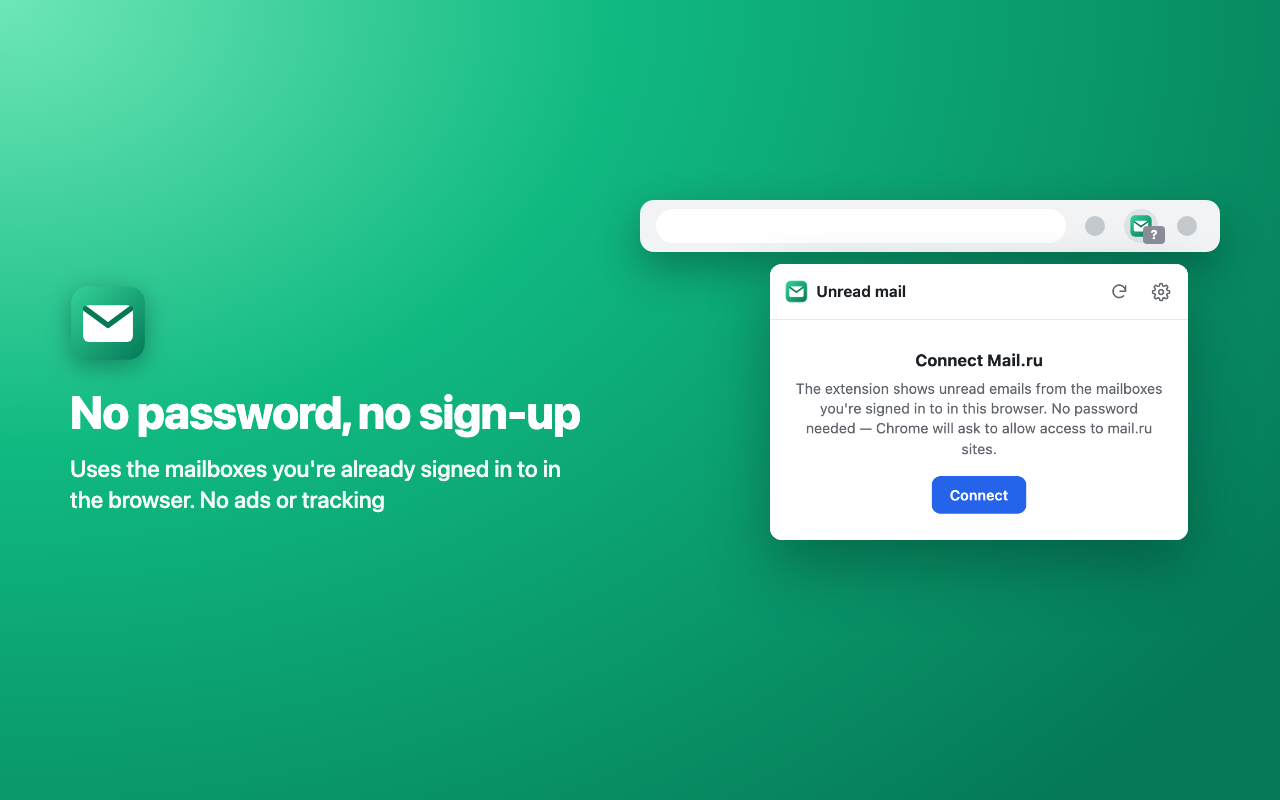
• No password needed or asked for: the extension uses the Mail.ru sign-in your browser already has.
• No permissions at install. Access to mail.ru sites only after you click "Connect"; turn it off in settings any time.
• Emails are shown, not stored. Requests go only to Mail.ru itself; the developer has no servers, ads or analytics.

Light and dark theme, English and Russian interface.

Unofficial extension, not affiliated with Mail.ru or VK.
Text from the Firefox Add-ons page. It differs from the Chrome text.
Unread email counter for Mail.ru right on the browser toolbar. Click the icon to see the newest emails from every mailbox you're signed in to: sender, subject and the first line. Click an email to open it in the right mailbox.

EVERY MAILBOX AT ONCE
• Several Mail.ru mailboxes, including @bk.ru, @inbox.ru and @list.ru, each with its own count and emails.
• The total unread count on the badge: exact up to 999, then 1.2k, 15k. Any mailbox can be left out of the count.
• Updates every minute and whenever you open Mail.ru.

START FROM ZERO
Thousands of unread newsletters and the counter means nothing? Click "Start from zero" and only emails that arrive after that are counted. Nothing changes in your mailbox: no email is marked as read or deleted. Back to the full count in one click.

NOTIFICATIONS
Optional notifications for new emails with the sender and subject. Click one to open the email.

NO PASSWORD, NO TRACKING
• No password needed or asked for: the extension uses the Mail.ru sign-in your browser already has.
• At install Firefox notes that the add-on handles personal communications: those are the emails it shows you. Access to mail.ru sites is asked for only when you click "Connect"; turn it off in settings any time.
• Emails are shown, not stored. Requests go only to Mail.ru itself; the developer has no servers, ads or analytics.

Light and dark theme, English and Russian interface.

Unofficial extension, not affiliated with Mail.ru or VK.